World
Your world's calendar and clock, and what happens between the fights: travel, downtime, progress clocks, the rumors going round, and your table's house rules. Each campaign has its own.
- Where
- World, in the rail under The world
- Tabs
- Calendar, Travel, Downtime, Clocks, Rumors, House rules
- Works with
- World clock, Clocks, Roll Tables, Trades
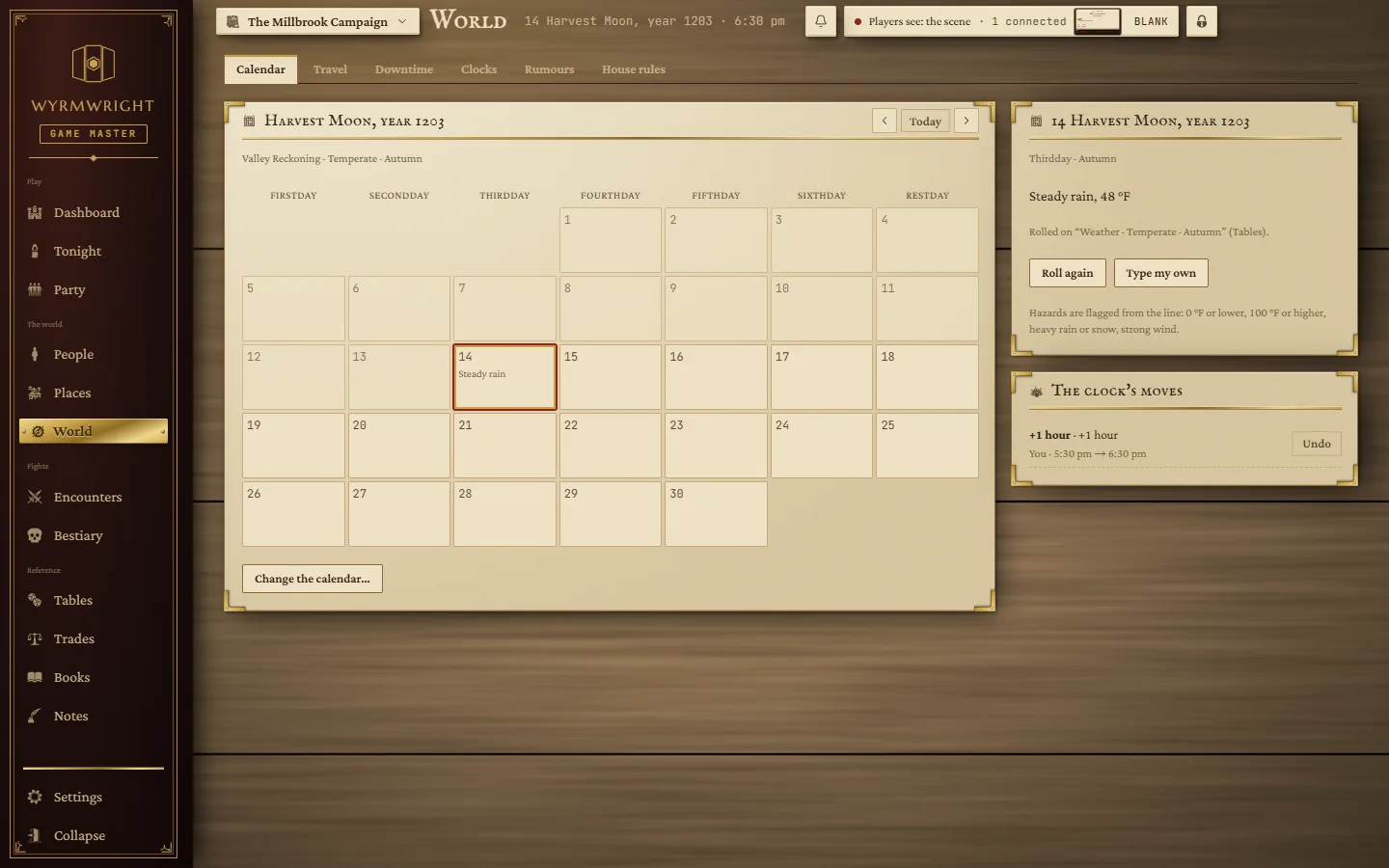
Calendar
Nothing on this page runs until the campaign has a calendar. Press Set up the calendar.
- Start from Plain (twelve months of 30 days, to rename) or Blank. The rulebook has no calendar, so the app comes with none of a published world's: make it your own.
- Name for the years, the climate where the party is (Temperate, Cold or Hot), and what today is, with the time.
- Months: a name, a number of days and a season each. Add a month and Add a festival day add more; the bin removes one.
- Days of the week: seven to start with, each one yours to rename.
Saving adds a starter set of weather tables to Roll Tables, one for each climate and season. Change them as you like. Change the calendar… under the month opens the same dialog later.
The month and the day
The arrows and Today move through the months. Each day shows its weather and anything else on it: a day's travel, downtime, a shop's restock day, a clock's deadline. Click a day to open it on the right:
- Its weather, and the table it was rolled on. Roll again rolls a new one; Type my own lets you write it.
- A day whose weather line says 0 °F or lower, 100 °F or higher, heavy rain or snow, or strong wind is flagged as a hazard.
The clock's moves
Every time the clock moves, it is listed here: by how much, why, who moved it, and from when to when, each with Undo. The clock moves from the World clock tile, from rests on the Party page, from the end of a fight, and from travel and downtime here. Move the World clock by itself in Settings turns the automatic moves off.
Travel
- Press New route and name it.
- Add its legs: from, to, miles, terrain, whether there's a good road, and a pace. Each leg shows the days it takes and the Navigation, Foraging and Search DCs from the campaign's rules. Some terrain caps the pace (a mountain allows Slow only).
- Untick anyone not going. Each traveler shows the rations in their pack, and short when there aren't enough.
- Tick Check for encounters to roll your own check each day (the book has no rule for it) on a table you pick.
- Press Save the route.
The trip adds it up: days on the road, the date you leave, food and water for everyone, and the book's rule for traveling more than 8 hours. The pace's effects on checks are written under the legs.
On the road
Set off starts the trip. Each Next day moves the calendar a day, rolls its weather and makes your encounter check; Stay a day does the same without moving on. Each day gets a row, and Eat takes a ration from each pack (a change on the Party page, with Undo). When they arrive the trip says so; Set off again starts it over.
Downtime
For the days between sessions, and only you see it. Type how many days; then on each character's card:
- Activity: Crafting, worked out by the book (materials cost half the item's price; the time is the price in gp ÷ 10 days, divided by helpers), or Your own, where you write what they're doing and set the cost.
- Lifestyle, from Wretched (free) to Aristocratic (10 gp a day), and the total for the days.
- How it turned out: goes in their journal.
Spend the days moves the calendar on, takes each character's gold (a change on the Party page, with Undo) and writes the page in their journal. For a roll, use Ask for a roll and let the players roll their own.
Clocks
A progress clock is a circle of 4, 6, 8 or 12 slices that you fill as something comes closer: a ritual, a flood, a rival's plan. New clock asks for a name, the slices, a deadline on the calendar (or none), whether players see it, and a note only you see.
- Click a slice to fill the clock up to it; click the last filled slice to empty it again.
- Shown / Hidden: a shown clock is on the players' window and in their app (name and slices only, never your note).
- A clock's deadline is marked on the calendar.
The Clocks tile puts the same clocks on the board.
Rumors
- Add a rumor: its words, the place it goes round, and for you only whether it's True, False or Partly true, with a note.
- Hand out: tick who hears it and type who they heard it from. They see the words and the source in their app, never whether it's true or your note.
- Roll one picks a rumor from the chosen place that not everyone has heard yet, ready to hand out.
- Heard by lists who has heard each one, from whom and when; the cross takes it back from that character.
- The Place list shows one place's rumors.
House rules
Add a rule writes one of your table's rules: a title and a few lines. Players read them in their app. Below them, the switches in Settings that are house rules are listed as they are set, so this page always agrees with what the app does. Change those in Settings (Open Settings).
Shops restocking
Pick a shop on the Trades page and set Restocks every so many days (0: only when you say). With a calendar set up, the shop restocks on its day by itself, and the day shows on the World calendar.
- A restock puts each line back to its usual count. A line ticked One only that has sold stays sold.
- Prices drift moves prices up to ±10% each restock. It's off unless you turn it on.
- Restock now restocks straight away and lists what it changed.
The book has no rule for restocking, so this is yours to set. A full reroll of what a shop sells is still the Store Inventory tile's Restock.
Set up a calendar for your world with Set up the calendar and start from Plain. Rename the months, set the climate to Cold for the mountain pass and set today's date. Weather tables for each season arrive on the Roll Tables page, and the World clock tile shows today's weather.