Store Inventory
Shops with stock generated from the SRD and your own trades, a tab each. Restock with one press, keep the lines you like, haggle at the counter and sell straight into a character's pack.
- Default size
- 8 × 7 (smallest 6 × 5)
- More than one
- Yes, each with its own shops
- Works with
- Party Packs, Price Board, Trades, Places
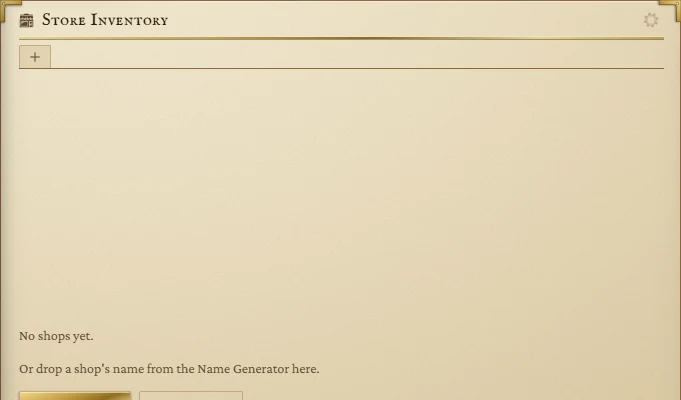
Open a shop
An empty tile offers Generate a shop (a random name and trade) or From a trade… (pick the trade yourself). Once you have shops, the + tab at the end of the tab strip offers the same menu:
- Generate one: a name from the Name Generator, a random keeper and a random trade.
- Your trades and From a trade: your own trades and the seventeen built-in ones from the Trades page.
- General goods: a shop that picks from any trade.
Picking a trade opens the shop's settings so you can name it and its keeper. You can also drop a shop name from the Name Generator onto the tile to open a shop of that name, or press Open as a shop on a stall in Places.
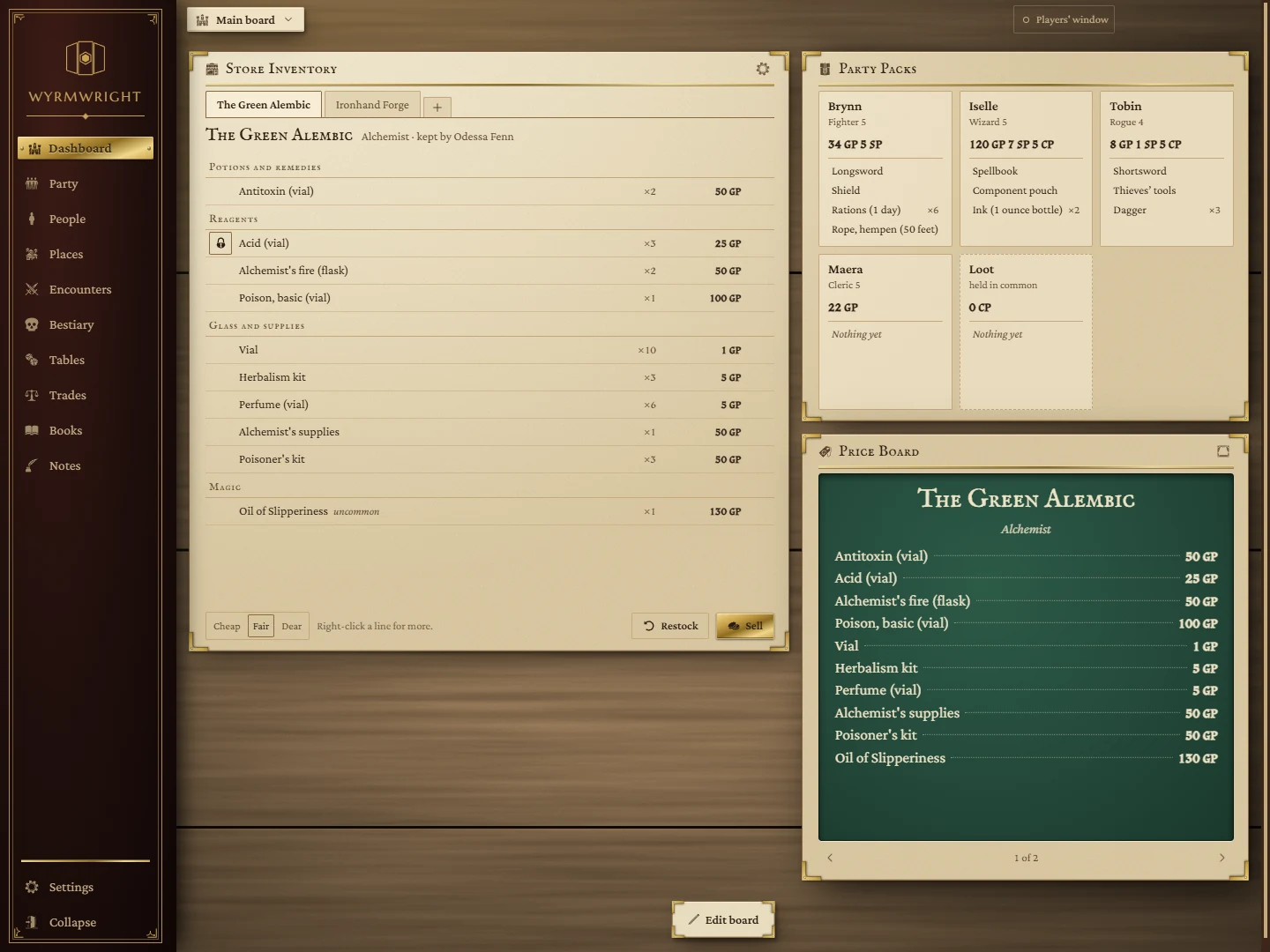
Reading the shelf
- Tabs along the top, one per shop. Click to switch.
- The shop line: its name, trade, keeper and town, and its money if you track it.
- Stock, grouped by the trade's categories. Each line shows how many the shop holds and the price at today's mood. Magic items show their rarity. Hover a homebrew item to read its description.
- Lines the shop has sold out of are dimmed and say sold out.
Mood: Cheap, Fair, Dear
The three buttons at the bottom left set prices for every shop on the tile: Cheap is 80% of list, Fair is list price, Dear is 125%. The Price Board follows the mood too.
Restocking
Restock re-rolls every line that isn't kept; Restock these on a section heading re-rolls just that section. Right after a restock the footer offers Undo until you change anything else.
- Keep a line through restocks with the lock at its left.
- Always stock or Never stock an item from its right-click menu.
- How many magic items appear depends on the shop's Magic items setting and on the size of the place: a hamlet turns up common items at most, a village uncommon, a town rare and a city very rare. Legendary items never appear by chance; set one to always stock if you want it there.
- A magic item's price is rolled once, when it is stocked, within its rarity's range on the Trades page.
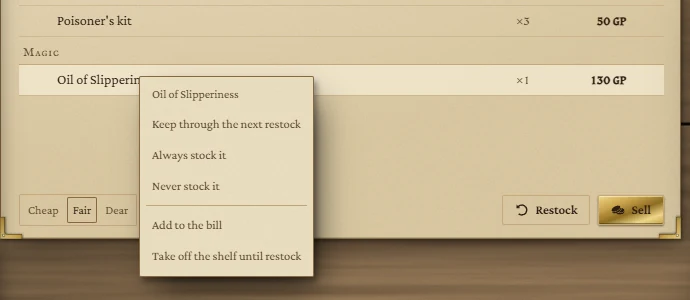
Drag a line onto another shop's tab to move what's left of it there.
Selling: the bill of sale
- Hover a line and press its +, once for each one the party buys. The bill opens beside the tile and stays open while you add more.
- In Sold to, pick who pays. A character pays from their purse and the goods go in their pack; The table changes nobody's purse.
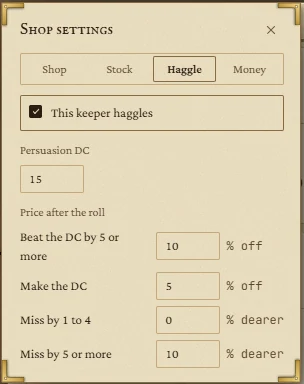
- If the keeper haggles, type the party's Persuasion total. The bill shows the result (for example Beat it by 6: 10% off) and the list price beside the new total.
- Press Sell.
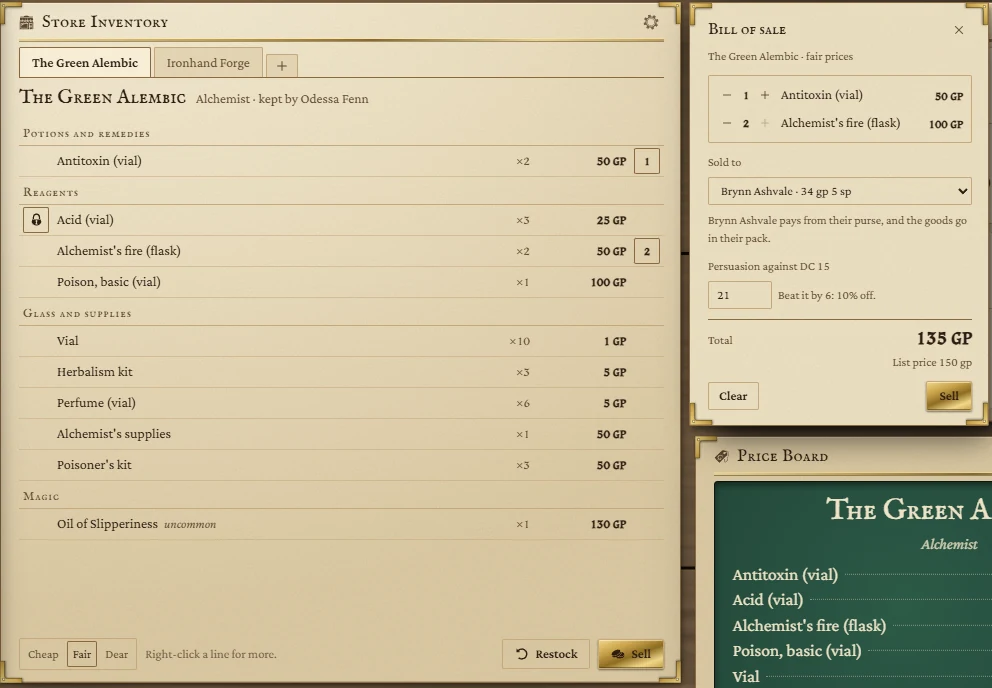
The sale takes the goods off the shelf, moves the coin and writes a line in the shop's log. If a purse is too light, the stock runs out, or the keeper can't pay, the bill explains and nothing changes.
Buying from the party
Drag a character's gear from Party Packs onto the tile. It lands on the counter under Buying from the party, at the shop's buying rate (half the list price by default). Press Settle to finish. What the shop buys goes on its shelf.
Shop settings
The gear button in the tile's title bar opens the settings for the shop you're looking at. Every change saves at once.
| Tab | What it sets |
|---|---|
| Shop | Name, town, keeper, trade, the size of the place (hamlet to city) and its wealth. Changing trade, size or wealth re-rolls the lines that aren't kept. Close this shop… removes the shop, its stock, log and bill. |
| Stock | Which of the trade's categories it sells, how many magic items (none, few, some), how many lines, and the always-stocked and never-stocked lists. |
| Haggle | Whether the keeper haggles, the Persuasion DC (15 to start), and the price change for beating the DC by 5 or more, making it, missing by 1 to 4, and missing by 5 or more. |
| Money | Don't track, Track takings (a running total with a reset), or Keeper's purse (sales add to it; buying from the party comes out of it, and the keeper can't pay more than they hold). Also the rate the shop buys from the party at: half by default, the SRD's rule. |
Towns come from pages marked This is a town on the Places page. When any shop has a town, a Town filter appears in the title bar.
Dropping things on the tile
- A shop name from the Name Generator opens a new shop.
- A person from the Name Generator or an NPCs tile becomes the keeper of the open shop.
- A character's gear goes on the counter to sell.
What is kept
Everything about each shop survives closing the app: its stock, kept lines, settings, log, the open bill and the mood. The Undo after a restock and any open panel do not.