Settings
How the table looks, which rules edition the tools follow, and where your data lives. Every change saves the moment you make it and reaches every open window at once.
- Where
- Settings, at the foot of the rail
- Sections
- Appearance, Rules, Shops, About
- Saved
- Immediately
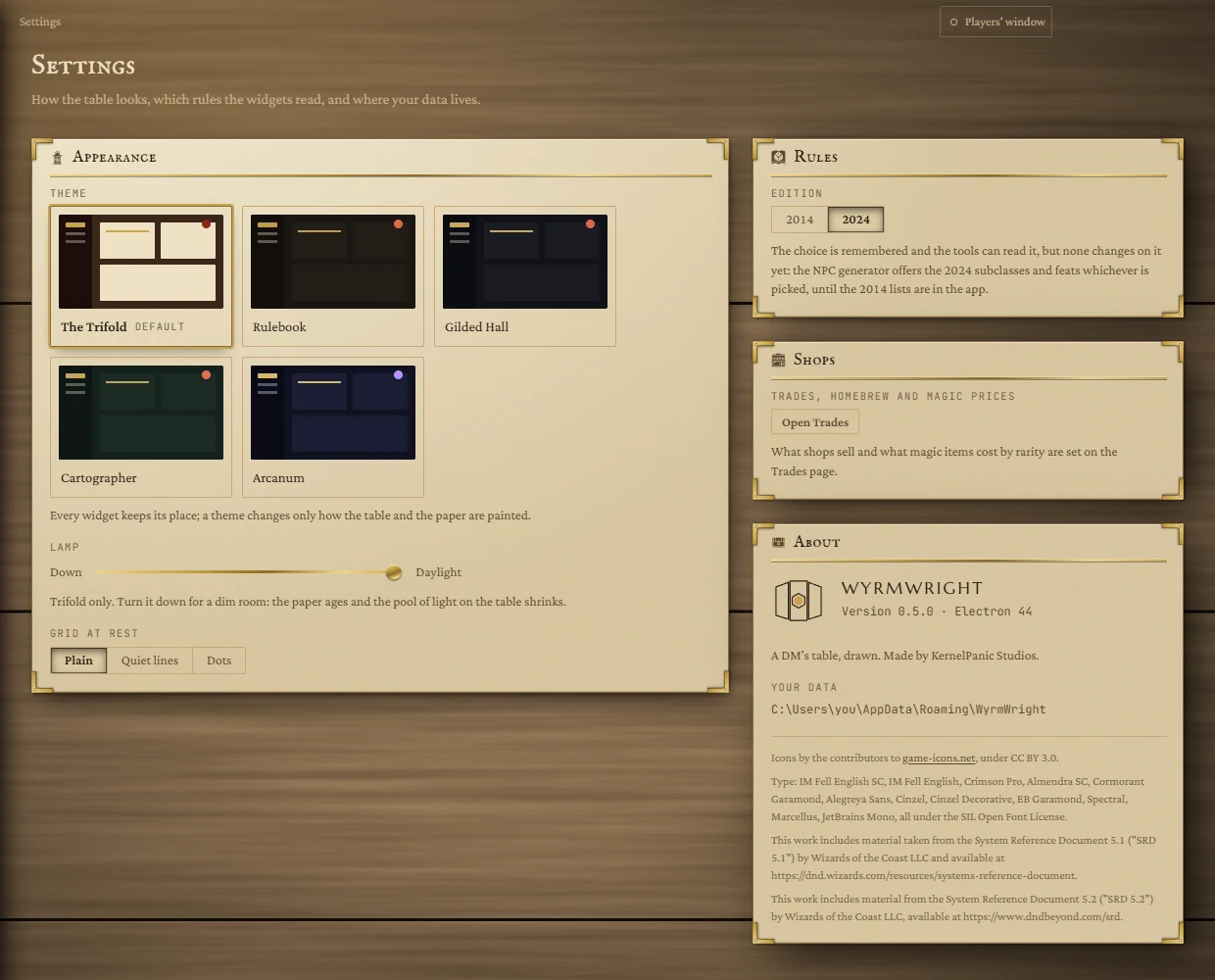
Appearance
Theme
Five looks for the whole app, each drawn as a small picture of the screen. Click one to switch; the board changes at once. The first, The Trifold, is the default. You can also move between them with the arrow keys. Hover a picture to read what the theme is made of.
A theme changes only how the table and the paper are painted: every widget keeps its place, size and contents. See Themes for all five side by side.
Lamp
Shown only while The Trifold is the theme, because it is the one theme lit by a lamp. Drag the slider from Daylight towards Down for a dim room: the paper ages and the pool of light on the table shrinks. The board dims live as you drag.
Grid at rest
What the board's grid looks like when you are not arranging tiles. While you edit the board the grid is always drawn.
| Choice | What you see |
|---|---|
| Plain | No lines until you edit the board. The default. |
| Quiet lines | A faint inch grid, always there. |
| Dots | A dot at every intersection, nothing between. |
Rules
Edition
Pick 2014 or 2024 (the default), meaning the Player's Handbook of that year and its System Reference Document.
Shops
What shops sell, your homebrew items and what magic items cost by rarity are all set on the Trades page. Open Trades takes you there.
About
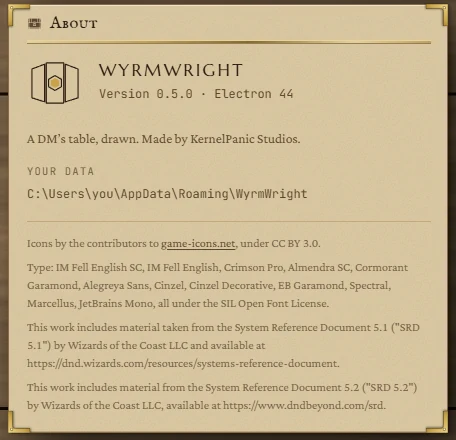
- Version: the version of WyrmWright you are running. Quote it if you ask for help.
- Your data: the folder on your PC that holds everything you make in the app: boards, notes, the party, tables, shops and your web sign-ins. It is normally
C:\Users\you\AppData\Roaming\WyrmWright. Back this folder up to keep your campaign safe; uninstalling the app does not delete it. - Credits: the icons (game-icons.net, CC BY 3.0), the typefaces (SIL Open Font License) and the System Reference Document 5.1 and 5.2 material from Wizards of the Coast that the app's rules and equipment come from.
Not here
- Notion is connected from any Notion tile, or from the People, Places or Notes pages, not from Settings.
- There is no setting to move the data folder, and no backup button: copy the folder yourself while the app is closed.