Guides
WyrmWright Guides
WyrmWright is a Dungeon Master's screen for your PC: one big board of tiles you arrange yourself, with the initiative tracker, generators, dice, books, maps and notes you run a session from, and pages for the campaign material that is too big for a tile.
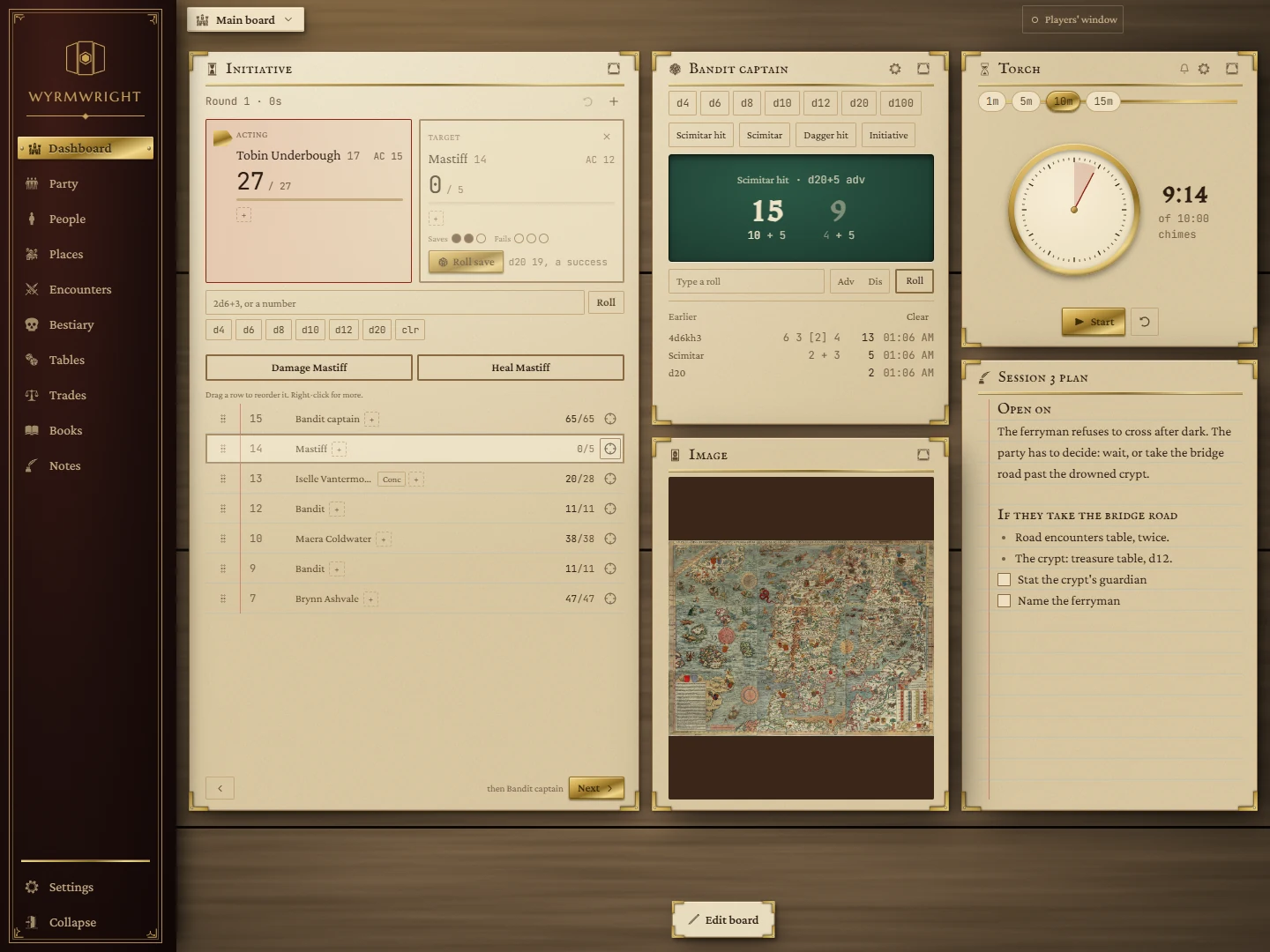
How it is laid out
- The rail down the left side holds the Dashboard (your board) and the campaign pages: Party, People, Places, Tables, Trades, Books and Notes. Settings sits at its foot.
- The board is where you run the game. Every tile on it is a widget; you choose which ones, where they sit and how big they are. You can have more than one board and open each in its own window, for example one on a second screen.
- Everything stays on your PC. There is no account and no sign-in to WyrmWright itself. Your boards, notes, party and tables are saved as you work and are there the next time you open the app.
Where to start
- Read The board to learn how to add, move and resize tiles.
- Put an Initiative tracker and a Dice tray on the board: they are the two you will use every session.
- Add your characters on the Party page, and pick a look on Themes.
Widgets
InitiativeTurn order, hit points, conditions and death saves.
Name GeneratorNames for people, places, taverns and shops.
NPCsA roster of people, fleshed out when the party talks to one.
Store InventoryShops with generated stock, a tab each.
Party PacksEach character's purse and gear, and the party's loot.
Price BoardA shop's prices for the players to see.
DiceRoll any dice, save the rolls you make often.
TimerA countdown or a stopwatch, with its own chime.
BookA PDF open on the board, remembering its page.
ImageA map, handout or portrait on the board.
Web pageA website on the board, signed in once.
Pop-outA window a web page popped out, docked on the board.
NotionPages from your Notion, read on the board.
App launcherButtons that open your other programs and files.
NotesA note from your Notes library, on the board.
Pages
PartyThe characters at your table, side by side.
PeopleEveryone in your campaign.
PlacesYour world's places.
EncountersPrepared fights and set pieces (coming later).
BestiaryCreatures and stat blocks (coming later).
TablesYour roll tables, and what you rolled tonight.
TradesWhat your shops sell, homebrew items and magic prices.
BooksYour rulebooks and PDFs, open full-window.
NotesSession notes and the things players said.