Price Board
A shop's prices on a slate, for the players to read. It follows a Store tile, leaves out everything only you should see, and its lettering grows with the tile so it reads from across the table.
- Default size
- 5 × 6 (smallest 3 × 4)
- More than one
- Yes
- Works with
- Store Inventory, the players' window
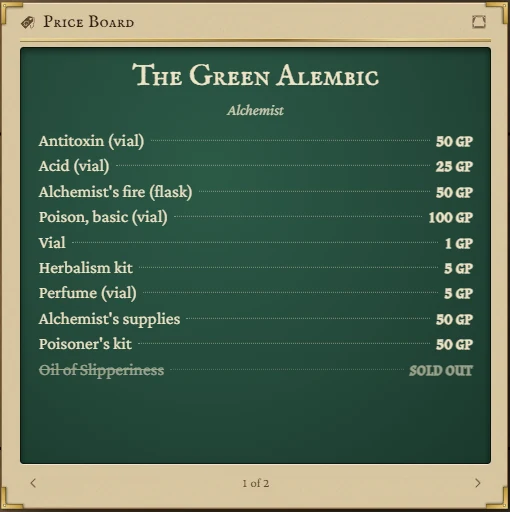
What it shows
- The shop's name, its trade and its town.
- Each line with its price at the Store tile's mood (Cheap, Fair or Dear). Lines with no price say ask; lines the shop has run out of are struck through.
- Hovering an item on the tile shows a homebrew item's description.
It never shows how many the shop holds, the keeper, purses, notes or the log.
Following the counter
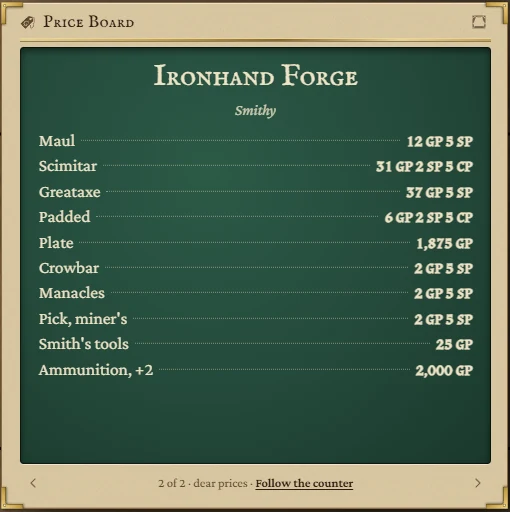
By default the board shows whichever shop is open on the Store tile, and changes when you switch tabs there. Use the arrows at the bottom to show a different shop instead: the board then stays on that shop and offers Follow the counter to go back to following.
With more than one Store tile on your boards, a dropdown in the title bar picks which one to follow.
Showing it to the players
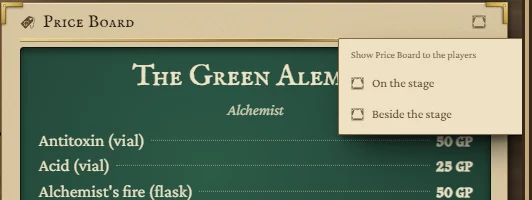
Press the curtain button in the tile's title bar and choose On the stage or Beside the stage. The prices appear on the players' window (it opens if it isn't already). The button then reads On TV or Beside; press it again to take the prices away. See The board for the players' window.
You can also put a Price Board on a board window on a second screen that faces the table.
Empty states
- Add a Store Inventory tile to the board, and its shop shows here. There is no Store tile yet, or the new Store tile hasn't opened its first shop.
- No shop open on the Store tile. The Store tile has no shops, or its town filter hides them all.