People
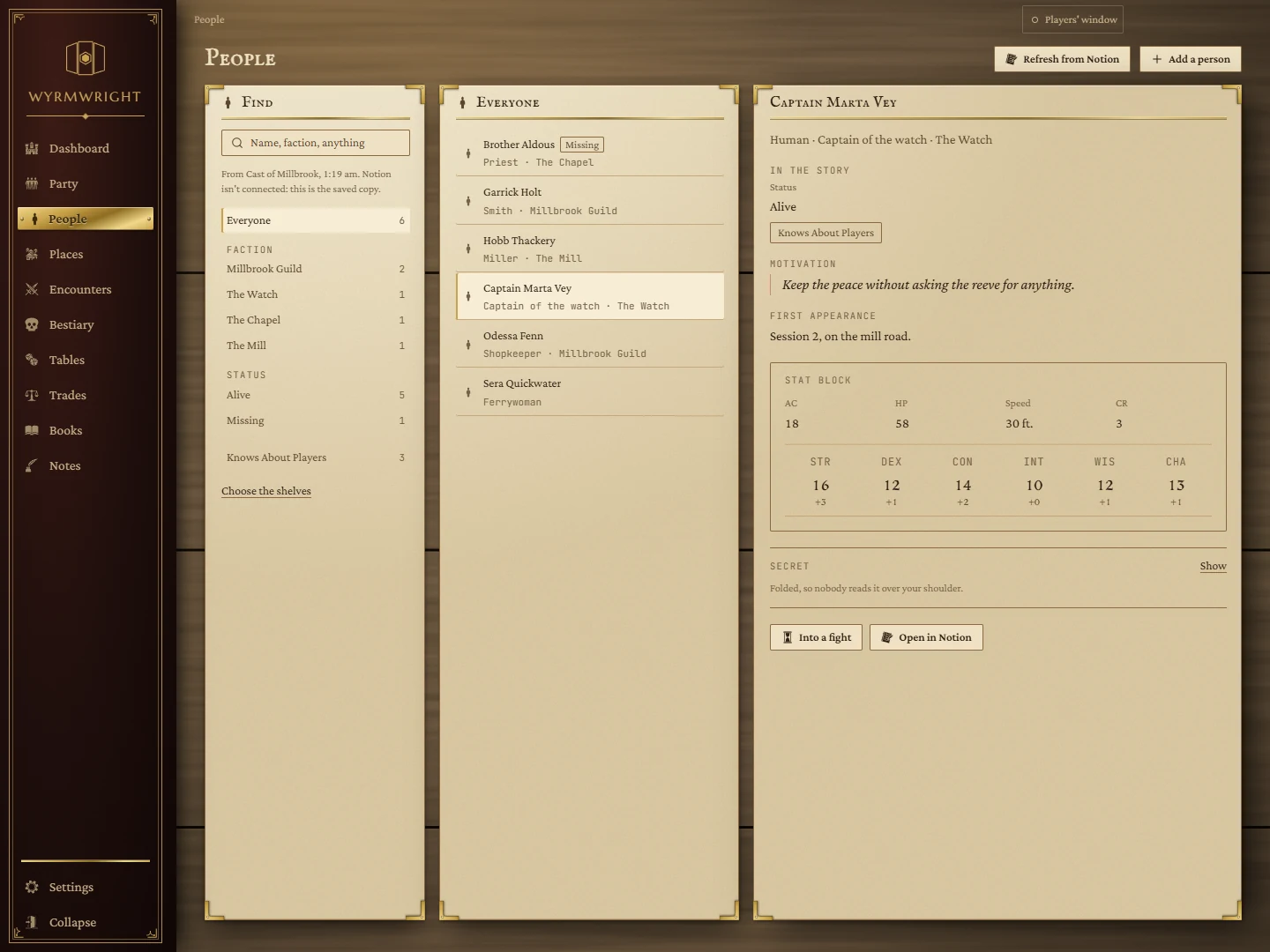
Everyone in your campaign, in one place: the rows of your Notion database of NPCs, plus the names you've kept on the board. Find anyone in a moment, read their stat block, and send them into a fight.
- Where
- People, in the rail
- Needs
- A Notion database of people (see Notion)
- Works with
- Initiative, Name Generator, NPCs
Setting it up
- Connect Notion. If it isn't connected yet, the page shows the Connect Notion form. See Connecting Notion.
- Pick your database. The page asks Where do your people live? and lists your Notion databases. One whose name looks like a cast list (NPCs, People, Characters, Registry) is picked for you. Press Use.
Nothing else to set up: the page works out what each column is from its name and type. A column called Race, Role, Faction, Status, AC, HP, STR to CHA, Speed, CR and so on is read as you'd expect, and a column called Secret is kept folded.
Finding someone
- Search: type in Name, faction, anything. It searches everyone, whichever shelf is open.
- Shelves: Everyone, then a shelf for each value of your database's choice columns (factions, status, yes/no boxes), with a count. Kept on the board appears when the board holds names that aren't in Notion yet.
- Choose the shelves picks which columns become shelves.
The line under the search says when the list was last read from Notion. If Notion can't be reached, or isn't connected, the page shows the saved copy and says so.
A person
Click anyone in the list to open them on the right:
- Their race, role and faction; their status and any flags.
- Text columns such as Motivation and First appearance.
- A stat block when the row has numbers: AC, hit points, speed, challenge rating and the six abilities with their modifiers.
- The secret, folded so nobody reads it over your shoulder. Press Show to read it and Hide to fold it again.
- A list of columns that are not written down for this person.
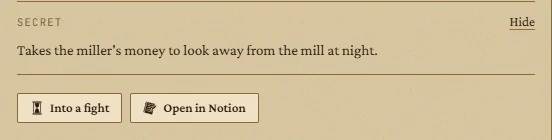
Buttons underneath: Into a fight adds them to the Initiative tracker as a foe, with their AC and hit points, and takes you to the board. Open in Notion opens their page in your browser.
Adding people
Add a person at the top asks for a name and creates a new row in your Notion database. A name kept on the board but not yet in Notion shows Add to your database, to make it a row.
Keeping it fresh
Refresh from Notion reads the database again. The page remembers which database, shelf and person you had open.